

Avaya Alternative: Why Contact Centers Are Switching to HoduSoft
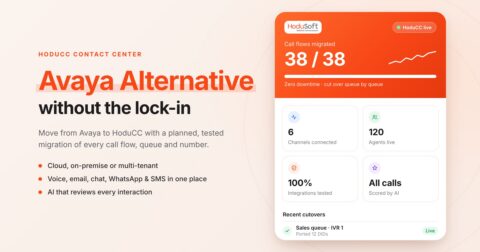
Key Takeaway
While Avaya historically powered thousands of call centers, key structural and financial limitations have forced businesses to seek alternatives. HoduSoft is a strong Avaya alternative for businesses that need
- Flexible deployment: Evaluate cloud, on-premise, and multi-tenancy models.
- Omnichannel engagement: Bring voice, email, chat, WhatsApp, SMS, and social interactions into a connected contact center.
- Built for operations: Manage call routing, outbound campaigns, agent activity, ticketing, and reporting through HoduCC.
- A planned replacement: Map existing Avaya workflows, validate integrations, and test the new setup before migration.
Avaya imposes high Total Cost of Ownership (TCO), strict minimum seat requirements, hardware lock-ins, and zero built-in multi-tenancy. Moreover, communication needs have changed: more remote teams, more digital channels, more locations, tighter budgets, and a need for faster administrative control.
So, businesses are starting to explore alternatives. For many teams, the question is no longer whether to replace Avaya, but with what, and how safely.
This guide covers why teams are leaving, how HoduSoft’s contact center software replaces each Avaya component, and what a migration really involves.
Why Businesses are Searching for an Avaya Replacement
Avaya earned its reputation for voice reliability. But the ground has moved. Manufacturer support for Avaya Aura 10.1 ended on January 1, 2026, and on the same date, dropped Azure, Google Cloud, IBM Cloud, and Hyper-V as supported platforms for Aura software-only and IaaS deployments.
Avaya has also been through two Chapter 11 filings (2017 and 2023), and in 2025 it set a 200-seat minimum for AXP cloud customers. Neither makes Avaya a bad product, but they are reasons to plan an exit path.
| Avaya Pain Point | Operational Impact | How HoduSoft Helps |
|---|---|---|
| Hardware and upgrade overhead | Costly refresh cycles and infrastructure dependencies | Runs on standard servers or VMs in the cloud or on-premise, so you aren’t tied to specific hardware |
| Layered licensing and unclear pricing | Reviewers say recording, reporting, and AI often cost extra. | Licences can be split by channel, tenant or feature. |
| Heavy IT and specialist dependence | Changes often need certified Avaya engineers, who are getting harder to find. | Admins set up queues, IVRs, campaigns and integrations from one console. |
| No native WhatsApp calling & limited messaging | Scattered tools cause agents to switch between tools and customers to repeat themselves. | Voice, digital channels, built-in ticketing and CRM integrations sit in one workspace, so context follows the customer. |
| Hard to run many clients, brands or branches | Avaya’s multi-tenant administration is limited, so each environment adds admin work. | Multi-tenancy, one install with isolated tenants and central control. |
| Vendor uncertainty | Two Chapter 11 filings (2017, 2023) and a shift toward large enterprises leave mid-size teams unsure of the roadmap. | No lock-in: bring your own carriers, use open CTI APIs and standard softphones. IP PBX software |
What Makes HoduSoft The Smarter Avaya Alternative
HoduSoft stands out for businesses that want to evaluate telephony (HoduPBX) and contact center capabilities (HoduCC) around their operating model, rather than choosing a replacement based on brand name alone.
1. Omnichannel conversations in one contact center
Customer conversations rarely stay on one channel. A customer might call today, follow up on WhatsApp tomorrow, and send an email later.
HoduCC brings voice, email, web chat, WhatsApp, SMS, and supported social channels into a connected contact center environment. This helps agents manage interactions across channels without treating every conversation as an isolated event.
2. More control over contact center workflows
Contact center performance depends on more than answering calls. HoduCC supports capabilities such as skill-based routing, configurable IVR, progressive and power dialing, live monitoring, call recording, and operational reporting.
For teams managing complex customer interactions, these tools provide a broader operational toolkit than a basic business phone system.
3. Ticketing and interaction management beyond voice
HoduCC’s documented capabilities include ticket creation from multiple interaction channels, ticket assignment, categorization, status tracking, escalation, and SLA management.
For support teams, connecting customer interactions with ticket workflows can help make follow-up more consistent and give agents and supervisors better visibility into ongoing cases.
4. A platform that supports different operational models
A business managing one internal support team has different requirements from a BPO serving multiple clients or a service provider managing several customer environments.
HoduCC supports multi-tenant operations, including tenant creation, tenant-level administration, license management, and tenant-specific routing and integrations. Its broader feature set also supports single-tenant deployments.
This makes HoduSoft particularly worth evaluating for enterprises, BPOs, and service providers that need to manage multiple teams, clients, or business units.
5. AI that reviews every interaction
HoduSoft scores and categorizes 100% of interactions, not the 5 to 10% of manual QA team samples. That includes call scoring, speech analytics, post-call transcription, and email thread summaries.
6. Enterprise Quality Assurance & Analytics
HoduSoft includes an out-of-the-box QA Module for Omnichannel, allowing supervisors to monitor, review, and evaluate call transcripts and historical interactions. With multiple dashboards and analytics metrics, teams gain immediate visibility into campaign performance, SLA metrics, queue health, and agent talk time.
Avaya Components and Their HoduSoft Equivalent
An Avaya replacement isn’t always a one-to-one product swap. The right HoduSoft product depends on which part of your existing communications setup you want to replace.
| Existing Avaya capability or requirement | HoduSoft product or capability to evaluate |
|---|---|
| Business telephony and IP PBX | HoduPBX: Evaluate extensions, call routing, IVR, SIP connectivity, voicemail, and call recording. |
| Inbound contact center | HoduCC: Evaluate queues, IVR, skill-based routing, callbacks, and agent management. |
| Outbound calling and campaigns | HoduCC: Evaluate progressive, power, predictive, and other supported dialing modes against your campaign requirements. |
| Omnichannel customer service | HoduCC: Evaluate voice, email, chat, WhatsApp, SMS, and supported social channels. |
| Supervisor monitoring and quality assurance | HoduCC: Evaluate live monitoring, call recording, quality analysis, agent reporting, and supervisor controls. |
| Multi-client or multi-business operations | HoduCC: Evaluate multi-tenant architecture, tenant administration, isolated workflows, and tenant-level reporting. |
| Customer interaction records and ticketing | HoduCC: Evaluate ticket creation, assignment, categorization, escalation, and status tracking. |
| Voice and SMS broadcasting | HoduBlast: Evaluate high-volume voice and SMS broadcasting requirements. |
How an Avaya Migration Actually Works
A safe Avaya replacement runs in parallel, not overnight. The goal is to preserve essential workflows, validate compatibility, and reduce disruption during the transition.
Start with a small test group, then move department by department, and keep the old system as a fallback until each queue is proven.
1. Audit your Avaya estate
List call flows, IVRs, queues, skills, dialer campaigns, recording and CTI integrations, trunks, and reports. Note which Avaya product runs each (Aura, CC Elite, IP Office, Infinity).
2. Map it to HoduCC
Match each component using the table above. Flag gaps early, such as workforce management or real-time sentiment, so there are no surprises later.
3. Set up and connect
Deploy HoduCC in the cloud or on-prem. Connect your existing carriers over SIP, PRI, VoIP, or GSM, then link your CRM (Salesforce, Zoho, Zendesk, Dynamics) and messaging channels. Existing desk phones and mobiles can serve as extensions.
4. Pilot one team
Move a single queue or campaign. Test IVR paths, routing, dialer pacing, recordings, and reports against Avaya’s baseline.
5. Cut over queue by queue
Re-point DIDs gradually, run both platforms side by side, and keep Avaya as fallback until agents and supervisors are confident.
6. Decommission and optimize
Archive recordings, retire Avaya licences at renewal, and tune AI scoring and QA rules on live data.
Plan the cutover around your Avaya renewal date. Avoid signing a new long-term contract just to buy time. Our team can run the audit and mapping with you through a free migration assessment.
Free Avaya Replacement Checklist
A successful migration starts with the right questions. Before choosing a replacement, your IT and operations teams should have a clear view of the current setup, essential workflows, technical dependencies, and business continuity requirements.
Our upcoming Avaya Replacement Checklist will help you assess the critical areas before making the switch, from call flows and hardware compatibility to integrations, security, number porting, testing, and go-live readiness.
HoduSoft vs. Other Avaya Competitors
No vendor fits everyone, so here is how the main Avaya alternatives position themselves and where HoduSoft is the better fit.
| Alternative | How they position | Where HoduSoft fits better |
|---|---|---|
| Enterprise CCaaS (Genesys, NICE CXone, Five9, Talkdesk) | Cloud-first suites with broad AI and workforce tooling. | You need on-prem or cloud deployments. You want a faster, lighter implementation |
| UCaaS-first (RingCentral, Nextiva, Dialpad, 8×8) | Business phone plus contact center in one subscription. Nextiva stresses no minimum seats; Dialpad stresses in-house AI | Your priority is contact center depth: six ACD modes, five dialer modes, built-in ticketing and multi-tenant BPO operations |
| Amazon Connect | Pay-as-you-go, build-it-yourself on AWS. AWS’s own migration guidance assumes a multi-role project team | You want a ready-made platform your admins can configure, with no development team and an on-prem option |
| SMB cloud (CloudTalk, Aircall, Calilio, Exotel) | Fast setup and simple pricing for small and mid-sized teams | You need to scale to enterprise or BPO volumes, with branding and multi-tenant control, without outgrowing the platform |
| Staying within Avaya (Aura 10, Infinity, Nexus) | Mission-critical voice heritage; Nexus targets regulated sectors with availability planned for Q4 2026 | You want open integrations, visible pricing logic, and no dependence on one vendor’s roadmap |
The Bottom Line on Replacing Avaya
The best Avaya alternative isn’t necessarily the platform with the longest feature list. It’s the one that fits your workflows, supports your operating model, and gives your business a practical path forward.
HoduSoft is worth shortlisting if you’re looking for flexible deployment, omnichannel contact center capabilities, configurable dialing and routing, and multi-tenant operations.
Ready to evaluate your options? Explore HoduPBX for business telephony or HoduCC for contact center operations, and talk to the HoduSoft team about your requirements.
Frequently Asked Questions
It depends on your deployment needs. HoduSoft is the strongest fit for contact centers and BPOs that need on-prem or cloud deployment, concurrent-call pricing, native dialers and ticketing, and multi-tenant control. Cloud-only suites suit teams that never need on-prem.
HoduCC replaces contact center functions such as ACD and routing, IVR and dialers (the roles Avaya Aura, CC Elite, Experience Portal and Proactive Contact fill). For business phone system needs, see HoduPBX.
There is no sign of that. Avaya continues to sell Aura 10, Infinity, and the new Nexus platform. But it has filed for Chapter 11 twice (2017 and 2023) and has changed platform support, so many buyers want an exit path before they need one.
It depends on how many queues, IVRs, and integrations you run. A phased plan (pilot, parallel run, queue-by-queue cutover) avoids downtime.
Yes, for carriers: HoduCC works with your own telecom connectivity over SIP, PRI, VoIP, or GSM. Existing desk phones and mobiles can act as extensions, and agents can use softphones or browser-based WebRTC.
Yes. HoduCC deploys on-premise or in the cloud, on any physical or virtual server that meets the prerequisites, without platform-specific hardware.
It can be, depending on your numbers. Concurrent-call pricing helps when peak simultaneous calls are well below your headcount. We recommend a side-by-side cost comparison using your own call volumes.