

What is Call Disposition? Key Benefits and Use Cases

If you’ve ever wondered why an agent asks you a quick question at the end of a call – “Can I mark this as resolved?” – that tiny action is more powerful than it looks. It’s called call disposition, and it’s one of the simplest tools that helps contact centers turn every customer interaction into usable data.
In this blog, we’ll unpack the call disposition meaning, show why it matters, list common call disposition codes, and walk through practical benefits and real-world use cases.
What is Call Disposition?
A call disposition is a short label or tag that an agent assigns to a phone interaction that describes the outcome of the call.
.
For example, “Left voicemail,” “Resolved,” or “Follow-up required.” It’s the single-line summary that tells anyone who looks at the record what happened and what should happen next. This is the core of call disposition, meaning: an immediate, standardized summary of call outcomes that powers reporting, workflows, and follow-ups.
Why is Call Disposition Important?
Think of dispositioning as the “Post-it” note for every call, but digital, structured, and searchable. Without dispositions, call logs are just timestamps and call lengths. With dispositions, you can:
- See at-a-glance why customers are calling.
- Route follow-ups automatically.
- Measure campaign effectiveness and agent performance.
In short, call disposition turns individual conversations into organizational intelligence.
Call Disposition in Call Center Workflows: Where It Fits
Dispositioning happens right after a call ends (or sometimes during wrap-up). It’s typically part of the agent wrap-up screen in a contact center platform or CRM integration.
A disposition can also trigger automated actions — for example, a “Callback” disposition might add a task in the CRM and schedule a dialer retry, while a “Do Not Contact” disposition removes the number from future campaigns. That action-trigger capability is what makes dispositioning more than just reporting; it becomes workflow automation.
Common Call Disposition Codes
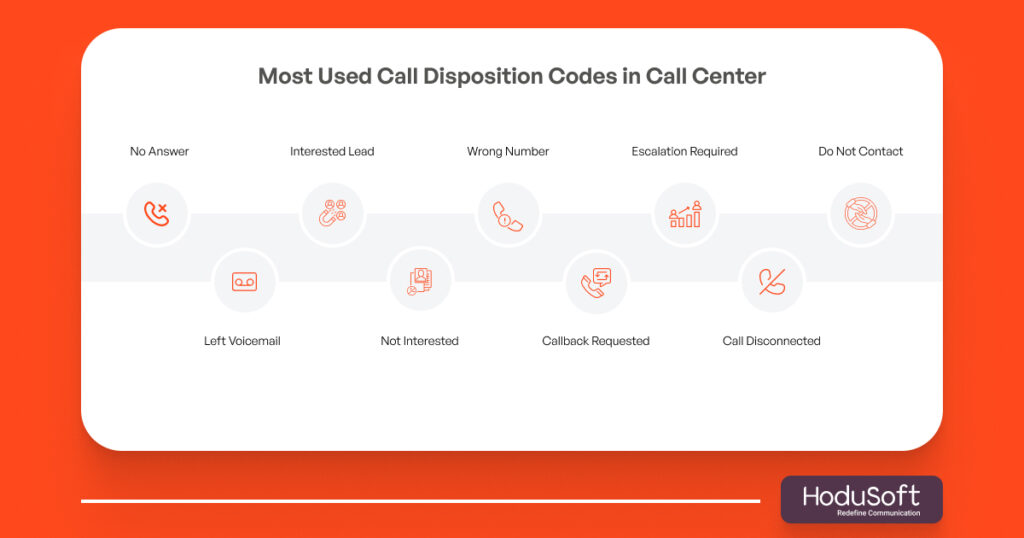
Below are typical call disposition codes that many contact centers use. These are short, standardized tags that make reporting and automation consistent:
- No Answer/No Pick Up: The call wasn’t answered; schedule a retry.
- Left Voicemail: Agent left a voicemail; follow-up may be required.
- Interested/Qualified Lead: Positive outcome; move contact to next stage.
- Not Interested: Lead rejected; removed from sales cadence.
- Wrong/Invalid Number: Update contact data; mark as invalid.
- Callback Requested: Customer asked for a specific callback time; schedule it.
- Escalation Required: Issue needs higher-level support; raise a ticket.
- Disconnected/Dropped: Call dropped due to network; consider redialing.
- Do Not Contact (DNC): Customer requested no further contact; remove from lists.
Each contact center will adapt this master list into a taxonomy that matches business needs (sales, support, collections, healthcare, etc.). Industry-specific lists are useful – e.g., “Prescription Refill” for healthcare or “Billing Dispute” for utilities.
What Are the Benefits of Call Disposition?
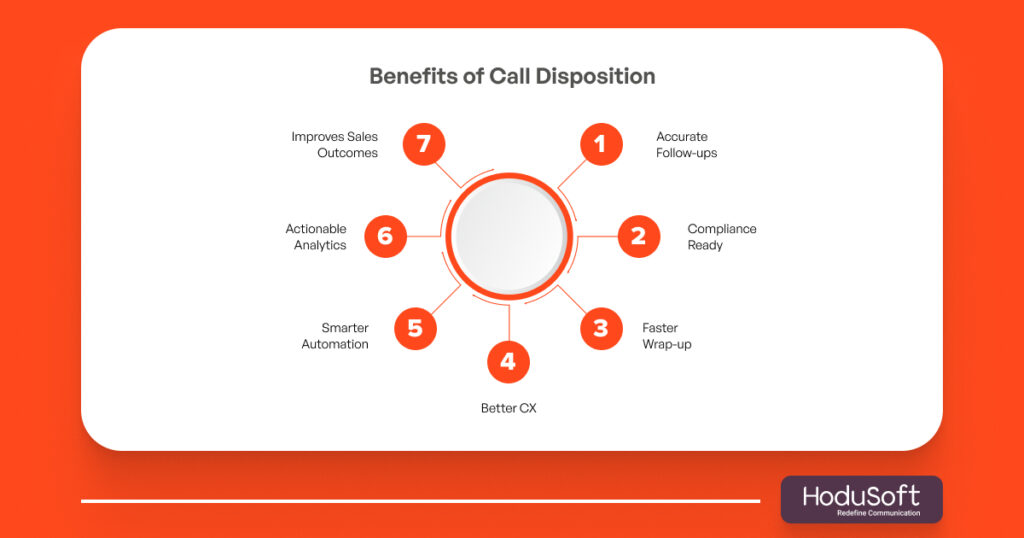
Below are the core benefits of call disposition, and why each one matters in practice.
1. Better follow-up accuracy
Disposition codes like “Callback Requested” or “Left Voicemail” make follow-up actions precise. Instead of guessing which calls need attention, agents and automations know exactly what to do next, which cuts missed opportunities and speeds up resolution.
2. Cleaner, DNC-compliant call lists
Marking “Do Not Contact” or “Invalid Number” keeps your dial lists clean and legally compliant. This reduces wasted dialer minutes and protects your brand from annoying customers, plus it’s critical for regulatory compliance in many countries.
3. Faster agent wrap-up and consistency
A structured disposition taxonomy reduces the cognitive load on agents at the end of calls. Instead of writing long notes, agents pick from standardized outcomes, which makes data far more reliable and searchable.
4. Improved reporting and analytics
Disposition data is the backbone of many operational KPIs: first contact resolution, percentage of calls needing escalation, campaign conversion rates, and more. When outcomes are standardized, managers can slice-and-dice data to find process bottlenecks or training gaps.
5. Smarter automation and routing
Automations can be tied to dispositions. For example, a “Billing Issue – Escalate” tag can automatically open a ticket and route it to a specialist queue. That reduces manual handoffs and speeds time-to-resolution.
6. Better lead qualification and sales outcomes
For sales teams, dispositions like “Qualified”, “Needs Demo”, or “Not Interested” feed the CRM and sales pipeline with structured signals. This improves forecasting and helps sellers prioritize high-value leads.
7. Enhanced customer experience
Accurate dispositions reduce repeat contacts for the same issue. When agents see a clear previous outcome (“Issue Escalated – Ticket #1234”), they don’t make the customer repeat the story, and that’s a quick win for CSAT.
Best Practices for Implementing Call Disposition
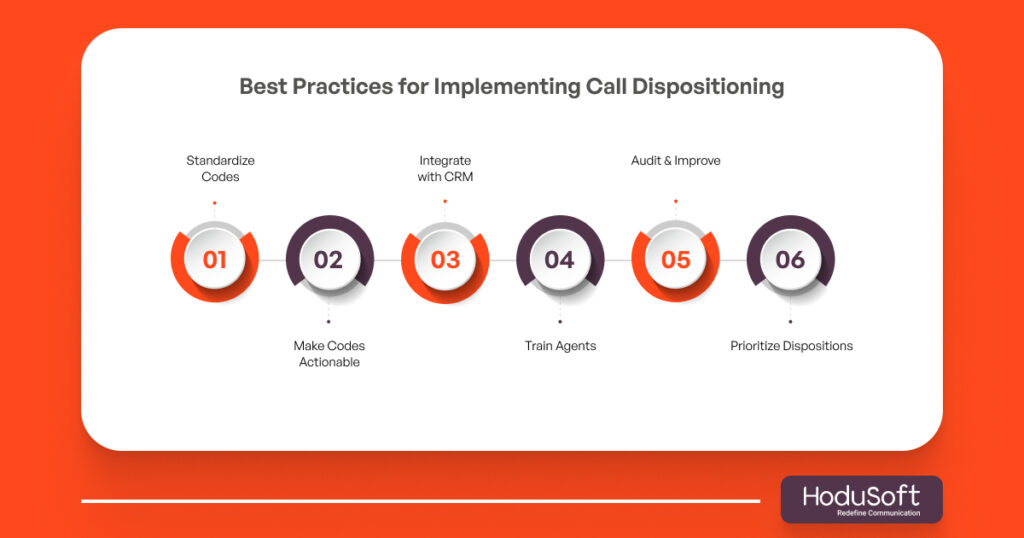
Implementing call disposition well takes thought. Here are the best practices that reduce friction and multiply value, each with a quick why-it-works note.
Standardize your taxonomy
Create a consistent set of dispositions across teams. Too many granular options lead to incorrect tagging; too few options lose nuance. Aim for a lean primary list with a couple of optional subcategories. This balance keeps data both usable and accurate.
Make dispositions actionable
Design dispositions so they trigger clear next steps: “Follow-up” should set a reminder; “Escalate” should open a ticket. Actionable dispositions remove manual interpretation and speed workflows.
Integrate dispositions with CRM and automation
Sync dispositions to your CRM so records follow the customer journey. When the dialer, ticketing system, and CRM speak the same language, the whole organization benefits from consistent data.
Train agents with examples and edge cases
Teach agents what each disposition means using real call examples. Include common edge cases (e.g., “left voicemail but also sent a follow-up email”) so choices are consistent and reliable. Better training = cleaner data.
Use periodic audits and feedback loops
Run weekly or monthly audits of disposition accuracy and share results with agents. If certain dispositions are overused or misused, adjust definitions or training. Continuous feedback improves data quality over time.
Prioritize resolution-based dispositions
Focus on outcomes that indicate resolution status (“Resolved”, “Escalated”, “Follow-up Needed”) rather than only call reasons. That helps you measure whether customer problems are actually getting solved, not just why they called.
Use cases: Where Call Disposition Adds the Most Value
Below are common contexts where call disposition becomes indispensable, and why it matters in each setting.
1. Outbound sales campaigns
Use dispositions like “Interested — Booked Demo”, “Not Interested”, and “Wrong Number” to quickly optimize dialing lists and the next outreach steps. Dispositions let sales managers understand campaign conversion without reading call transcripts.
2. Inbound customer support
Disposition tags such as “Billing Query”, “Technical Escalation”, or “Resolved” help route tickets and allow supervisors to measure first-contact resolution (FCR). That data is central to improving agent training and self-service options.
3. Collections and recovery
Disposition codes help prioritize accounts (e.g., “Promise to Pay”, “No Contact”, “Dispute”) and automate next steps like payment reminders or escalation to legal teams. Clear dispositions reduce time wasted on unproductive calls.
4. Appointment-based businesses (healthcare, services)
Dispositions like “Appointment Confirmed”, “Rescheduled”, and “No Show” feed calendars and reminder automations. That reduces no-shows and ensures staff can refill slots quickly.
5. Compliance-driven environments
Marking “DNC” or “Opted Out” is essential to stay within legal boundaries and avoid fines or reputational damage. Accurate dispositioning is the simplest compliance record you can keep for call audits.
6. Omnichannel customer journeys
When dispositions sync across channels (voice, SMS, chat), your agents get context no matter how the customer reaches you. That unified view improves handoffs and eliminates the need for customers to repeat themselves.
Why Call Disposition Is Must Have Feature for Any Call Center Software?
How to Choose Disposition Labels That Actually Work
A few practical tips to design labels that teams will use correctly:
- Keep labels short and unambiguous. One or two words reduce selection errors.
- Use a two-tier model – a primary outcome (Resolved / Escalate / Callback) plus an optional sub-reason (Billing / Technical / Scheduling). This keeps things flexible without overloading the agent.
- Avoid overlapping labels. If “No Answer” and “Left Voicemail” both are available, define which to choose when both happen (usually choose the most specific one).
- Map dispositions to KPIs. Pick labels that feed critical metrics like FCR, number of escalations, and campaign conversion so your analytics team can use them directly.
How Modern Contact Center Software Enhances Dispositioning?
Today’s platforms do more than let agents select a label. Modern features include:
- Auto-suggestions: Platforms suggest dispositions based on speech-to-text summaries or the agent’s actions during the call, speeding up wrap-up.
- Automated triggers: Selecting a disposition can automatically create a ticket, schedule a callback, or add the contact to a DNC list.
- Analytics dashboards: Real-time dashboards show disposition trends so managers can act quickly on spikes (e.g., sudden rise in “Billing Escalation” calls).
- Granular permissions and audits: Admins can control who can create dispositions and track changes for data integrity.
These features make dispositioning low-effort and high-value, especially at scale.
Common Pitfalls (And How to Avoid Them)
Even with the best intentions, disposition programs can go off the rails. Here are the traps and fixes:
- Pitfall: Too many options → Agents pick the wrong tag.
Fix: Reduce to a core set and use optional sub-reasons. - Pitfall: Dispositions are inconsistent across teams → Reports lie.
Fix: Standardize taxonomy and train teams with examples. - Pitfall: Labels aren’t actionable → Managers still need manual work.
Fix: Tie dispositions to workflows and automation. - Pitfall: Agents skip dispositioning → Data gaps appear.
Fix: Make dispositioning mandatory in the wrap-up flow and monitor completion rates.
Measuring Success: KPIs Driven by Dispositions
Use dispositions to power these operational metrics:
- Disposition completion rate: % of calls with a disposition. (Data quality basic.)
- First Contact Resolution (FCR) by disposition: Which dispositions correlate with one-and-done success.
- Escalation rate: % of calls marked “Escalation Required.” (Early indicator of training gaps.)
- Campaign conversion by disposition: Which outcomes lead to revenue (e.g., “Booked Demo”).
- DNC/Compliance markers: Counts of “Do Not Contact” dispositions to show regulatory hygiene.
Tracking these KPIs turns dispositioning from an administrative task into an engine for continuous improvement.
Quick Implementation Checklist (30–60 days)
If you want to roll out or improve call dispositioning quickly, use this checklist:
- Define a core disposition list (10–15 items) and optional sub-reasons.
- Map each disposition to an automated action (CRM update, ticket, dialer action, DNC flag).
- Integrate with CRM and reporting tools so dispositions flow into dashboards.
- Train agents with example scenarios and a short reference card.
- Audit and iterate weekly for the first month, then monthly.
Call Disposition is Low Effort, High Return
Call disposition might look like a small checkbox, but when used well, it becomes a high-leverage tool: it cleans lists, powers automation, improves customer experience, and feeds the analytics that drive smarter decisions. Make it simple, actionable, and part of the agent workflow, and you’ll start seeing measurable improvements quickly.
If you’re looking for a platform that supports robust call dispositioning, HoduCC has built-in tools that let you create custom disposition codes, integrate them with CRM workflows, and trigger automated actions from each disposition, helping teams capture the most value from every call while keeping the agent experience simple and fast.
Ready to make call dispositioning effortless and insightful.
It’s the process of tagging each call with a code that reflects its outcome, like “Resolved” or “Callback Needed.”
Stick to 10–20 relevant codes to avoid overwhelming agents.
Yes, many systems auto-assign outcomes like “No Answer” or “Busy.”
They help track leads, measure campaign success, and prioritize follow-ups.
Absolutely, they ensure smoother follow-ups and prevent customers from repeating themselves.